
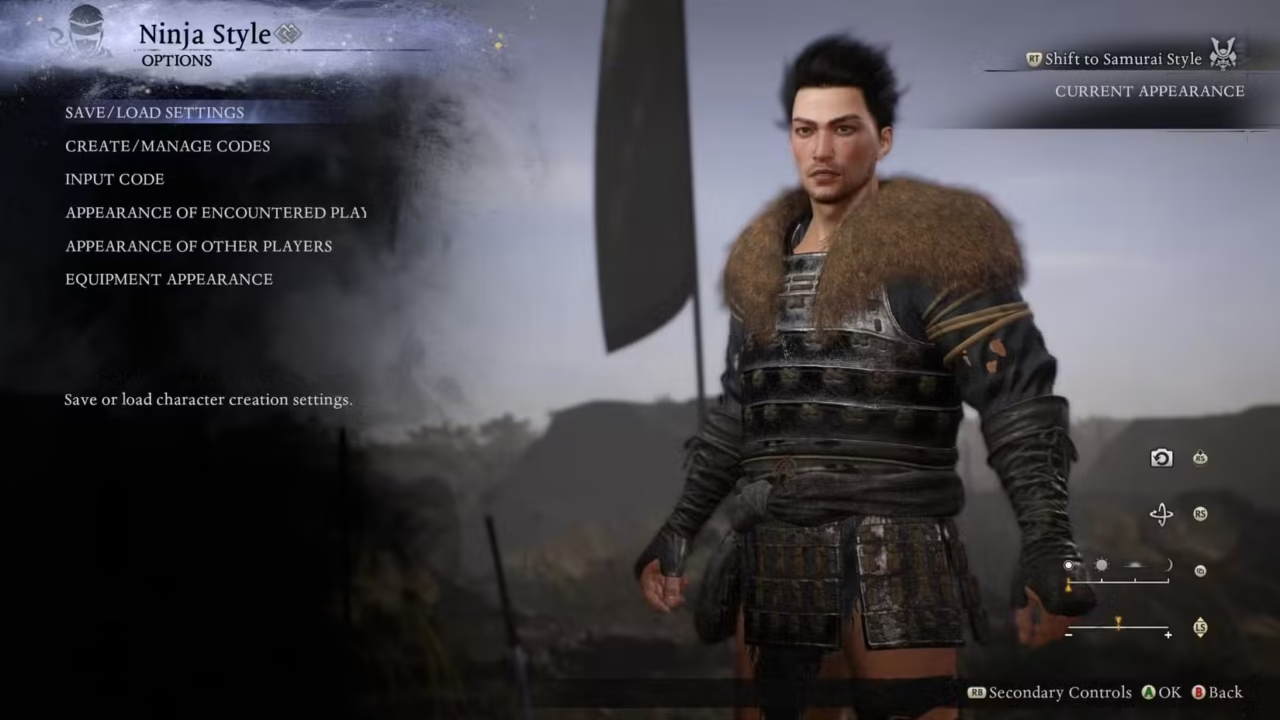
Character creators are fun to play around with and Nioh 3 has one of the most detailed character creators Team Ninja has ever created. Players can make their own hyper-realistic, anime inspired heroes, and iconic crossover looks. However, manually adjusting every slider can be time-consuming. That’s where Character Creator Codes come in.
In this guide, you can find a ton of best Nioh 3 character creation codes for PC and PS5. Character creator codes are shareable preset strings that apply fully facial and body configuration in the character creator.
These codes save time by loading all appearance sliders at once.
Best Nioh 3 Character Creator Codes (PC – Steam)
Below is a list of the most popular and best looking PC presets in Nioh 3. You can find anime inspired characters, realistic warriors, and more.
| Character / Preset | Character Creation Code |
|---|---|
| Venom Snake (Metal Gear-inspired) | N3S-DgvsYyGJ4kpPz |
| Ciri-Style Warrior | N3S-zg2dZog2cztwV |
| William Adams (Classic Nioh Look) | N3S-&f+=/x8LfSeGH |
| 2B (NieR-Inspired Preset) | N3S-n]3ioVuj4UBzP |
| Goth Girl | N3S-V7iwTwwLgrvZJ |
| Redhead Preset | N3S-ZJpWngmiUx4KZ |
| Broody Vampire | N3S-P7RtTRCypUTEa |
| Aging Samurai | N3S-j47mUdbvLLFww |
| Experienced Commander | N3S-UywgbFTwhzRmZ |
| Glam Girl | N3S-eHdRSQ6S/J3Rc |
Use the Nioh 3 character creator codes are recommended for players who like high realism and strong facial structure.
Best Nioh 3 Character Creator Codes (PS5)
| Character / Preset | Character Creation Code |
|---|---|
| Goth Girl (PS5 Version) | N3P-TTtnXsvAezbSK |
| Yuji Itadori (Anime-Style) | N3P-9jE/=2yD7aaYK |
| Rachel (Ninja Gaiden-Inspired) | N3P-9HRhcGrHBNdN3 |
| Keanu Reeves-Style Character | N3P-tu398iYg/BEWZ |
| Bayonetta-Inspired Umbra Witch | N3P-6iTrc9wFj7DZZ |
| Naruto-Style Character | N3P-Y9WXLr53eFkYd |
How to Use Character Creation Codes in Nioh 3
The process of using character creator codes in Nioh 3 is pretty simple. All you need to is copy one of the codes from above, or type it manually into the game.
Go to Options in the character creator screen. Navigate to Input Code and type the character creator code.
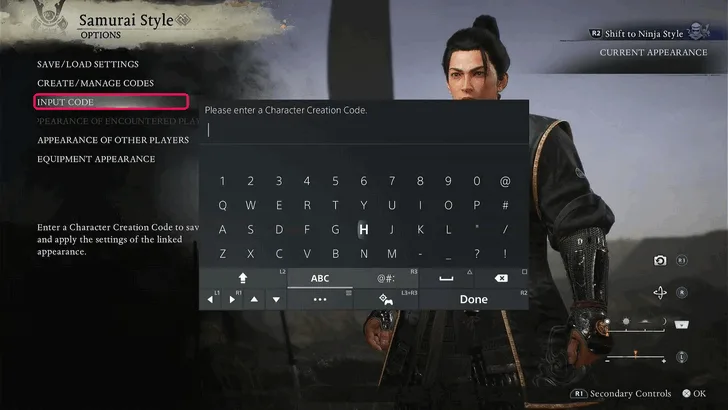
Enter or paste the codes and you’re good to go. Lastly, preview the character and confirm to apply the preset.
You can edit your character as many times as you want. Imported presets can be a starting point, not a final lock-in. So you can make any changes at any point in Nioh 3.
How to Share Your Own Character Code
If you create a character you love, you can generate your own code and share it with others.
- Open Character Creator
- Go to Options
- Go to Create / Manage Codes
- Select Generate Code
- Save or copy the generated string
This is how most community presets circulate online.
While entering any code make sure to double check platforms and carefully enter special characters. Make sure no spaces are added while entering or confirming the character creator codes.