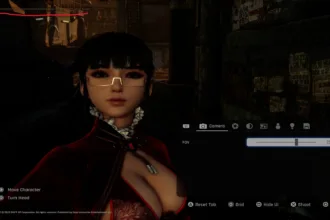

Overall Nioh 3 is a pretty well optimized game but there are still some minor issues including camera motion stuttering or judder. Some reports noticing camera stutters when playing on high frame rates. This isn’t a traditional “game hang” but a motion smoothness problem caused by the way the engine handles variable FPS.
The good news? There are practical fixes you can apply right now that dramatically improve smoothness and eliminate camera stutters for most players.
The game’s engine, Katana, is well known for having a quirk where variable frame rates aren’t locked to specific values. This result sin camera stutters due to uneven frame pacing during camera movements.
The game fluctuates between targets like 60-80-90 FPS instead of hitting a steady target frame target. VRR (G-sync/Freesync) alone doesn’t fully help the situation. Nioh 3 has no support for uncapped frame rate so anything between target threshold will always cause camera stutters.
Tip: If your graphics card can’t hold stable 120 FPS I recommend capping Nioh 3 to 60 FPS.
Nioh 3 Camera Stutter Workaround
If you want to hit 120FPS but your system doesn’t natively hold that power, best to use DLSS Frame Generation on Nvidia RTX cards. Players report that enabling frame gen + 120 FPS cap can give smoother camera motion without losing visual quality.
In addition to this to the following:
- Update graphics drivers
- Let the game sit in the main menu for a few minutes, this reduces in-game micro stutters
- Lower Global Illumination, Shadows, and Ambient Occlusion
In Nioh 3 you need to have a stable FPS to fix camera stutters. Nothing else other then a patch from developers fix the issue. So make sure your graphics settings, drivers upgrades, and DLSS settings are all done around stability rather then higher frame rates.