
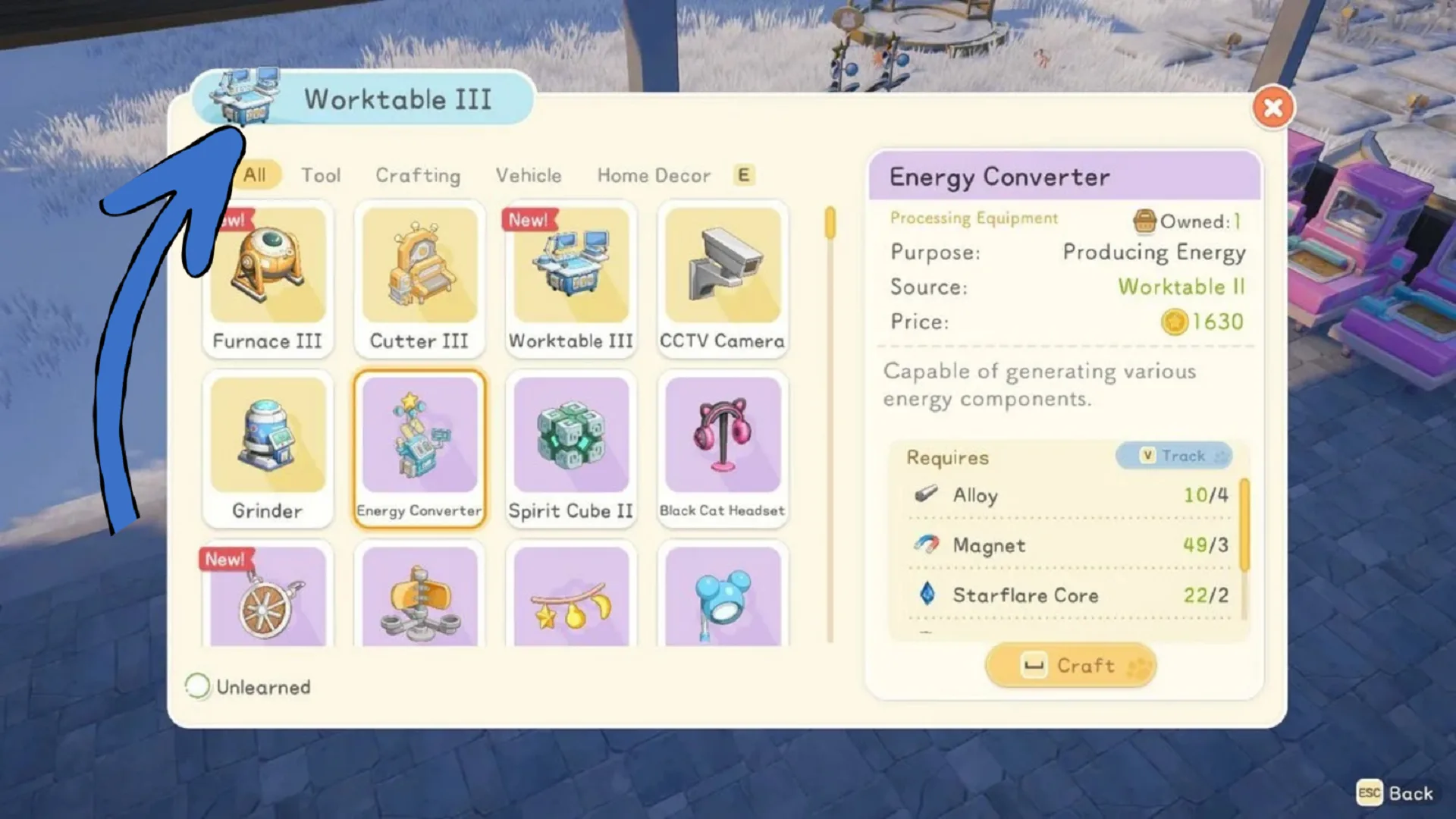
Workstations aka Worktables in Starsand Island are your primary source of crafting. Upgrading them from Tier I to III unlocks advanced tools (e.g., Chainsaw, Electric Drill), vehicles (e.g., Jet Ski, Speedboat), processing stations (e.g., Gear Smith), and buildings such as Alpaca barns. They also allow you to unlock new crafting recipes, process higher tier materials, craft stronger tools and equipment, and progress into new regions.
Workstations are placeable crafting machines built on your home lot. Each one specializes in processing certain materials or crafting specific item categories.
How to Upgrade Worktables in Starsand Island
| Tier | Unlock Rank | Craft Location | New Recipes Highlights | Key Unlocks |
|---|---|---|---|---|
| Worktable I | Apprentice (Start) | Inventory | Basic tools (Axe, Stone Pickaxe), Furnace I, Cutter I, Storage Box I/II, Skateboard | Starter crafting; Charcoal Kiln |
| Worktable II | Junior | Worktable I | Intermediate tools (Impact Pickaxe, Chrono Rod), Furnace II, Cutter II, Beehive, Jet Ski | Vehicles (Tuk-Tuk), Medium Fish Pond |
| Worktable III | Intermediate+ | Worktable II | Advanced tools (Chainsaw, Electric Drill), Furnace III, Cutter III, Robot Terminal, Speedboat | Mining Robot, Teleporter |
Workstations in Starsand Island are linked to he Crafting Profession levels. To start upgrading your Workstations you first need to unlock the Crafting Profession. Speak with Crafting Mentor and accept and complete crafting quests to level up your Crafting profession. Once you reach Junior Crafter Level with Zerine, new blueprints will start to unlock.
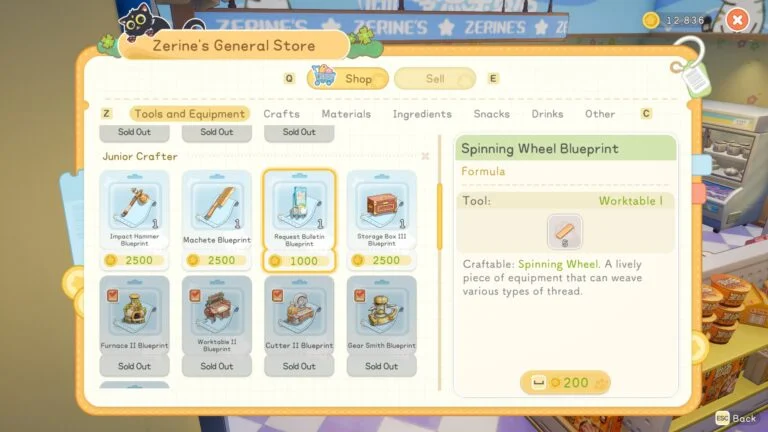
Each crafting profession level will unlock brand new blueprints, including blueprints you can use to upgrade Worktables in Starsand Island. So if you don’t level Crafting, higher tier stations will not appear in your build menu.
When you reach higher Crafting levels and get access to Blueprints for Workstations. Open Zerine’s general store terminal and go to Tools and Equipment tab to see what blueprints are available.
Unlike other games the crafting system around Workstations in Starsand Island works a bit different. Normally, you would just gather materials and upgrade worktables in games but in Starsand Island you can either upgrade your current Workstation or build entirely new higher tier table.
The best and most resource efficient way is to upgrade your current Workstation. You’ll get lower tier stations during crafting apprenticeship so simply upgrade them because that would take less resources and materials. Do this for stations like Furnace, Cutter, Chopper, and others as well.
| Station | Tiers | Craft At | Recipes Unlocked |
|---|---|---|---|
| Furnace | I-III | Worktable I-III | I: Copper/Tin Ingots; II: Iron/Gold; III: Aurorite/Eternal Alloy |
| Cutter | I-III | Worktable I-III | I: Softwood Planks; II: Iron Sheets; III: Meteor Planks |
| Chopper | I-III | Worktable I-III | I: Meat Bait; II: Veggie; III: Bug |
| Fertilizer Box | I-V | Worktable II-III | Ripening/Yield Fertilizers (Gmax V ultimate) |
When you have the blueprint and the resources needed to upgrade, simply approach the worktable you want to upgrade, and open the worktable menu and use the upgrade option. Once the station is upgrade it will visually change and immediately unlocks new crafting recipes.