
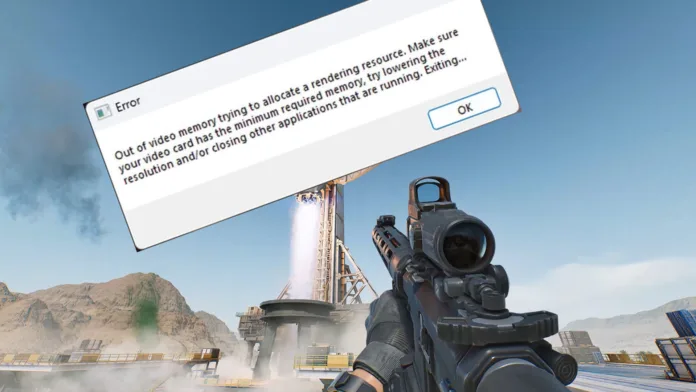
The “Out of Video Memory” is an error in Delta Force that happens when the game fails to allocate enough rendering resources. The “Out of Video Memory” causes immediate Delta Force crash, and you can thank Unreal Engine 5 for this.
The crashing with Out of Memory got worse since major patches like Season Morphosis. It hits during intense moments, map loading, or even right after launch, even on high-end PCs with plenty of VRAM.
Unreal Engine 5 is notoriously demanding of VRAM, and DX12 mode often causes memory leaks but the good news is that 90% of players can fix Delta Force Out of Memory crashing. In fact, you can apply the same fix to other games as well in case those are affected as well.
Before we take advanced steps to fix Delta Force out of memory crashing, try some basics first:
- Verify Game Files
- Update GPU Drivers
Also, you may not actually have enough VRAM. The game can spike to 8–12GB+ on High/Ultra settings in maps like Layali Grove. Minimum spec is ~6GB, but 8GB+ VRAM GPUs (RTX 3060/4060 and newer, RX 6700+) are strongly recommended.
Fix 1: Force DirectX 11 (Most Reliable Fix – Works for Most Players)
Unreal Engine hates DX12 which means this is your biggest issue that is probably causing out of memory crashing on PC in Delta Force. The best fix for this is to switch to DX11 through Steam.
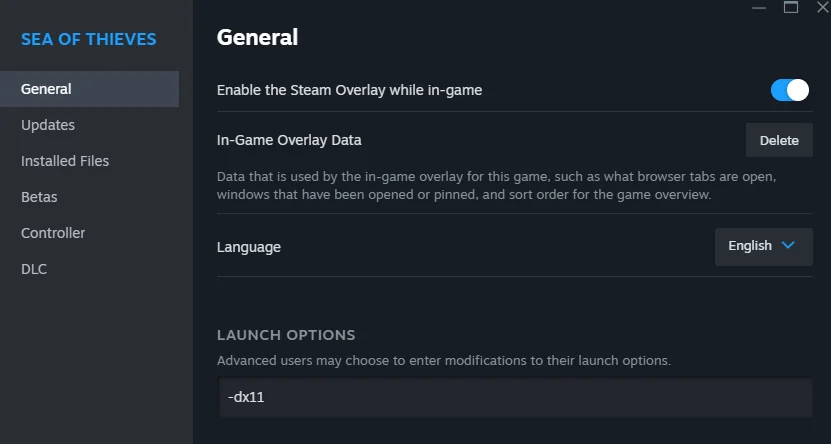
- In Steam, right-click Delta Force → Properties → General.
- In Launch Options, type: -dx11
- (Optional but recommended) Open the in-game launcher → Settings → Launch Commands → also add -dx11.
- Launch the game.
DX11 is a tried and tested protocol, and it uses far less VRAM compared to DX12. On DX11 you will not just consume less VRAM but also be able to avoid DX12 memory management bugs. Most players report zero out of memory crashes once they switch to DX11.
Fix 2: Free Up Disk Space on Your Install Drive
Your installation drive might not have enough space left for Delta Force to run. If that is the case, then out of memory crashes as well as other types of fatal error can happen in Delta Force. The game uses your drive for temporary files, shaders, and paging.
If possible, free at least 15-20GB on your drive where Delta Force is installed. You should do the same on C: Drive and try to free up extra space by deleting old downloads, temp files, and unwanted documents and files.

